RoastIQ
Open-source coffee roasting telemetry. Stream real-time Bean Temperature (BT) and Exhaust Temperature (ET) from an ESP32 to Artisan Scope.
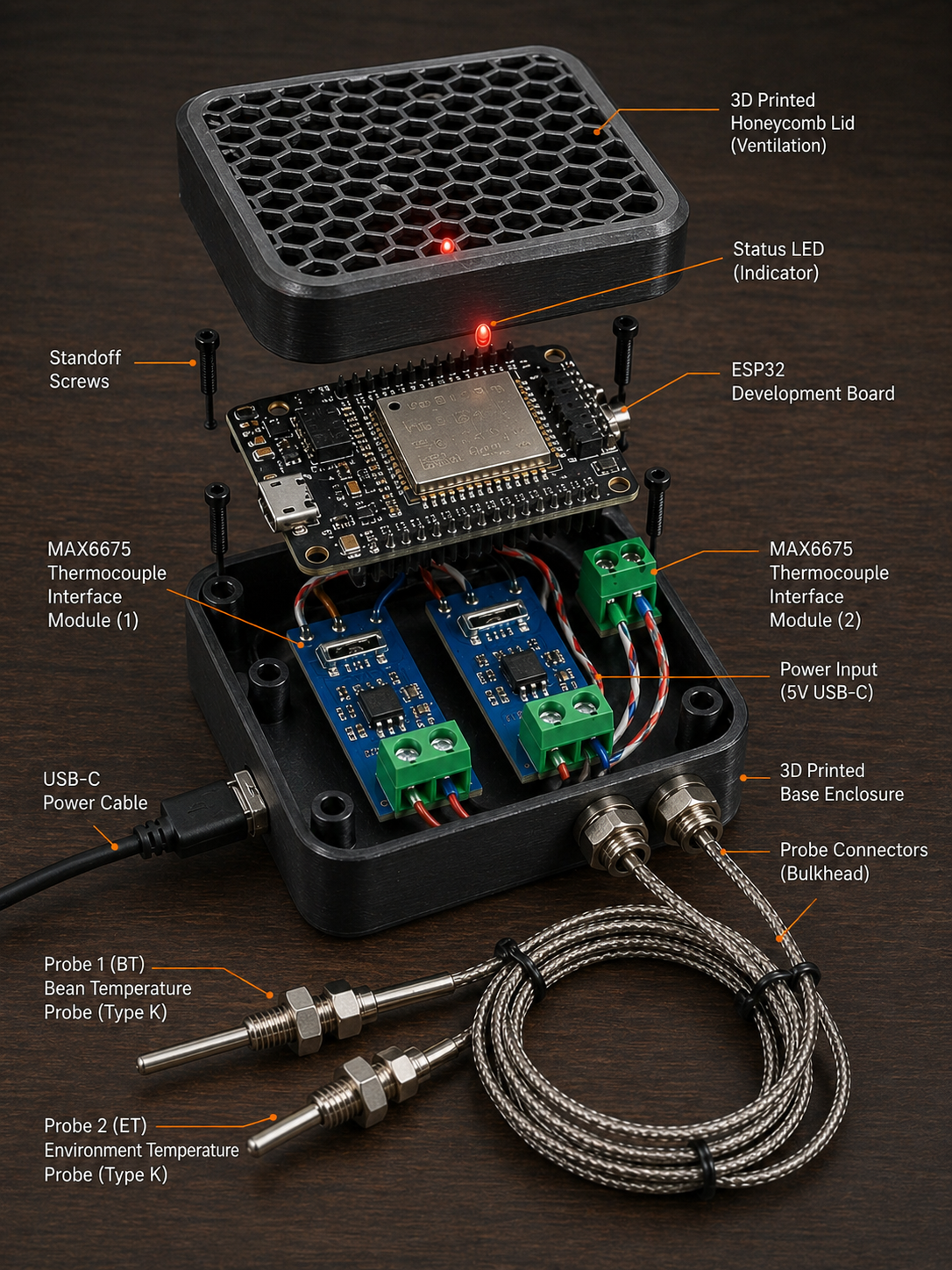
Get Started
Three steps to get your roaster connected:
1. Flash the ESP32
Install the firmware on your ESP32 using PlatformIO:
pip install platformio
pio run -e dev --target upload --upload-port /dev/ttyUSB0
pio device monitor --port /dev/ttyUSB0 --baud 115200
The ESP32 creates a WiFi network named RoastIQ. Note the IP address (e.g. 192.168.4.1).
2. Wire the Thermocouples
Connect two MAX6675 modules to the ESP32:
| Component | GPIO |
|---|---|
| BT CLK / CS / DO | 5 / 23 / 19 |
| ET CLK / CS / DO | 26 / 25 / 33 |
Full wiring: Getting Started
3. Connect to Artisan
- Open Artisan → Config → Device
- Set ET/BT device to WebSocket
- Enter URL:
ws://192.168.4.1/ws - Press ON
BT and ET curves appear at 4 Hz.
Downloads
Download the firmware and circuit documentation:
| File | Description |
|---|---|
| main.cpp | ESP32 firmware |
| temperature.h | Temperature validation + rolling average |
| telemetry.h | WebSocket JSON frame builder |
| platformio.ini | Build configuration |
| CIRCUIT.md | Wiring diagram |
Features
- 4 Hz sampling — Bean Temperature and Exhaust Temperature
- Artisan compatible — Direct WebSocket connection, no server required
- Standalone operation — ESP32 creates its own WiFi access point
- Open source — MIT licensed, full firmware available
- Simple hardware — Off-the-shelf MAX6675 thermocouple modules
Documentation
- Getting Started — Quick start guide
- Firmware Guide — Build and customize the firmware
- Artisan Guide — Connect to Artisan Scope
- Troubleshooting — Fix common issues
- Architecture — System design
License
MIT License — free for commercial and personal use. See LICENSE.